RPGM Studio: The RPG Maker Editor You’ve Always Wanted
RPGM Studio is a native, lightweight, blazing-fast, cross-platform desktop editor built specifically for RPG Maker XP, VX and VX Ace.
You can open your original RPG Maker projects directly, with zero destructive conversion. That means you can jump back and forth and reopen them in the original RPG Maker editors at any time without losing a single byte of data. Best of all, it runs 100% natively on macOS, Windows and Linux!
What Makes It Special
When building RPGM Studio, the goal was simple: kill the everyday frustrations of making games.
I’m actually using it every day to work on my own RPG Maker VX project (the definitive edition of Our Hero! Two ), so practically every feature in the editor came directly from real friction and headaches I ran into along the way. Here is a tour of what it brings to your workflow:
Global Search, Bulk Replace & Instant Filters
No more clicking through dozens of maps and hundreds of events one by one just to find where a switch gets flipped.
- Filter anything in real time: maps (by name or ID), events on a map, event commands, and every single tab of the database (items, skills, animations, you name it).
- Deep project-wide search: find every spot across maps or Common Events where a Switch or Variable is read or triggered, or where a specific graphic or audio asset is used.
- Fearless bulk replace: batch-replace Switch and Variable references, or rename graphic and audio files across your entire project (or scoped to just a single map) in one click. In a large project like Our Hero!, tracking down every switch or renaming an asset across hundreds of maps used to take hours. Now it takes seconds.
Supercharged Events: Multi-Tile, Templates & Stacked
- Events bigger than 1x1 tile: set the width and height of any event so it covers a larger area: ideal for wide doors, area triggers, or big bosses. When you reopen the project in RPG Maker, it automatically becomes a set of copies of that event filling the area you defined.
- Event templates: save doors, chests, enemies, save points, or NPCs as a reusable template with one click, then drop identical instances anywhere in your project. Doors, chests and NPCs become a single click instead of constant copy-pasting.
- Stacked events: RPG Maker actually supports stacking multiple events on the same tile natively, but its own editor doesn’t let you do it! RPGM Studio unlocks this capability cleanly, and everything carries over seamlessly when you reopen the project in RPG Maker.
See Your Game Right on the Map
- Visual movement routes: stop counting Movement Route steps in your head! In RPGM Studio, events with autonomous movement routes draw their full path right on the map canvas.
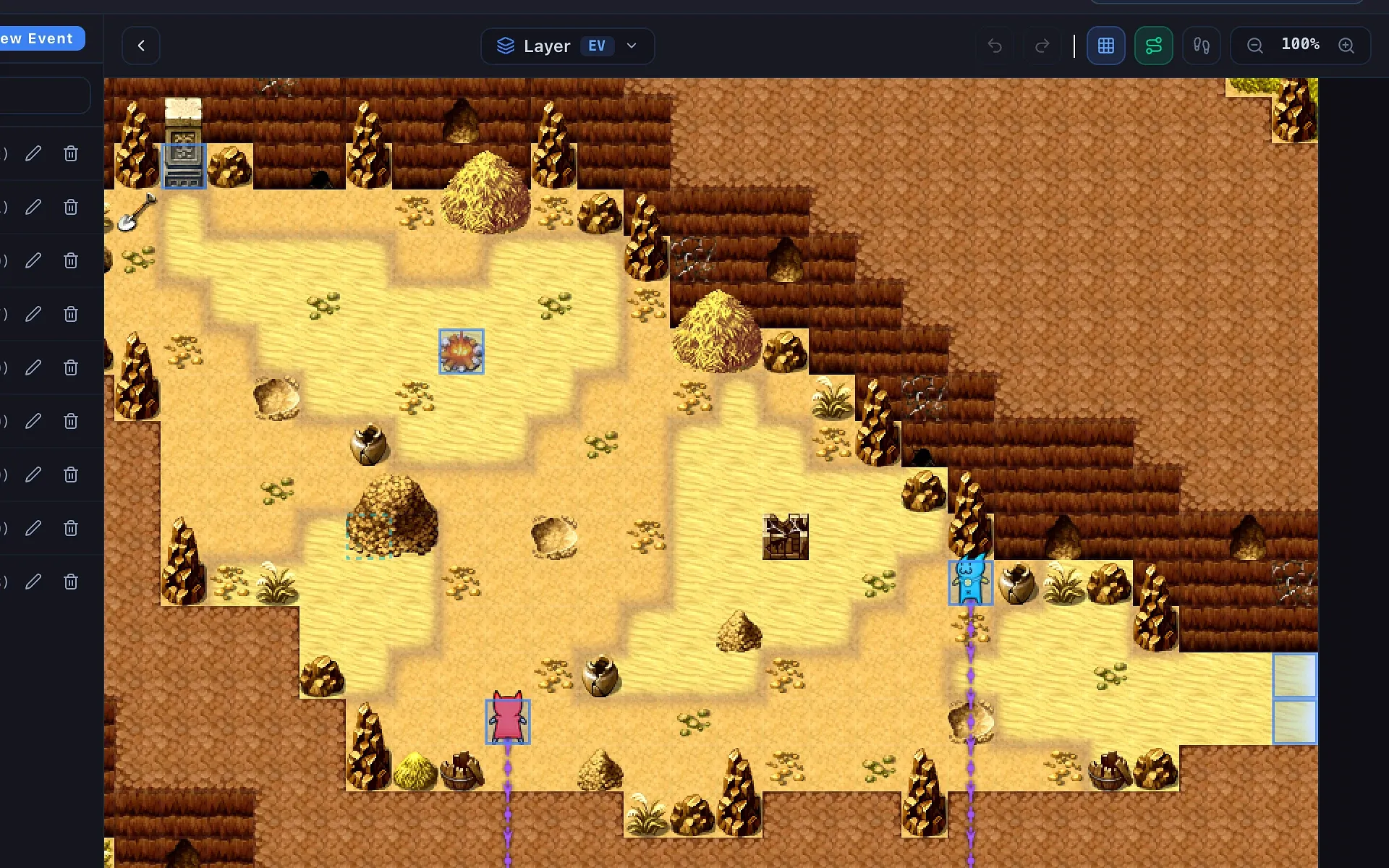
- Passability overlay: flip a toggle and every non-walkable tile lights up immediately, so collision bugs have nowhere to hide.
- Show Picture with drag & drop: placing HUDs, menus, and illustrations by typing X/Y coordinates blindly is over. Just drag the image with your mouse inside the interactive preview, watch the coordinates update live, and see exactly where it will land on screen. I got tired of guessing coordinates and reloading the game repeatedly just to align UI elements.
A Real Script Editor
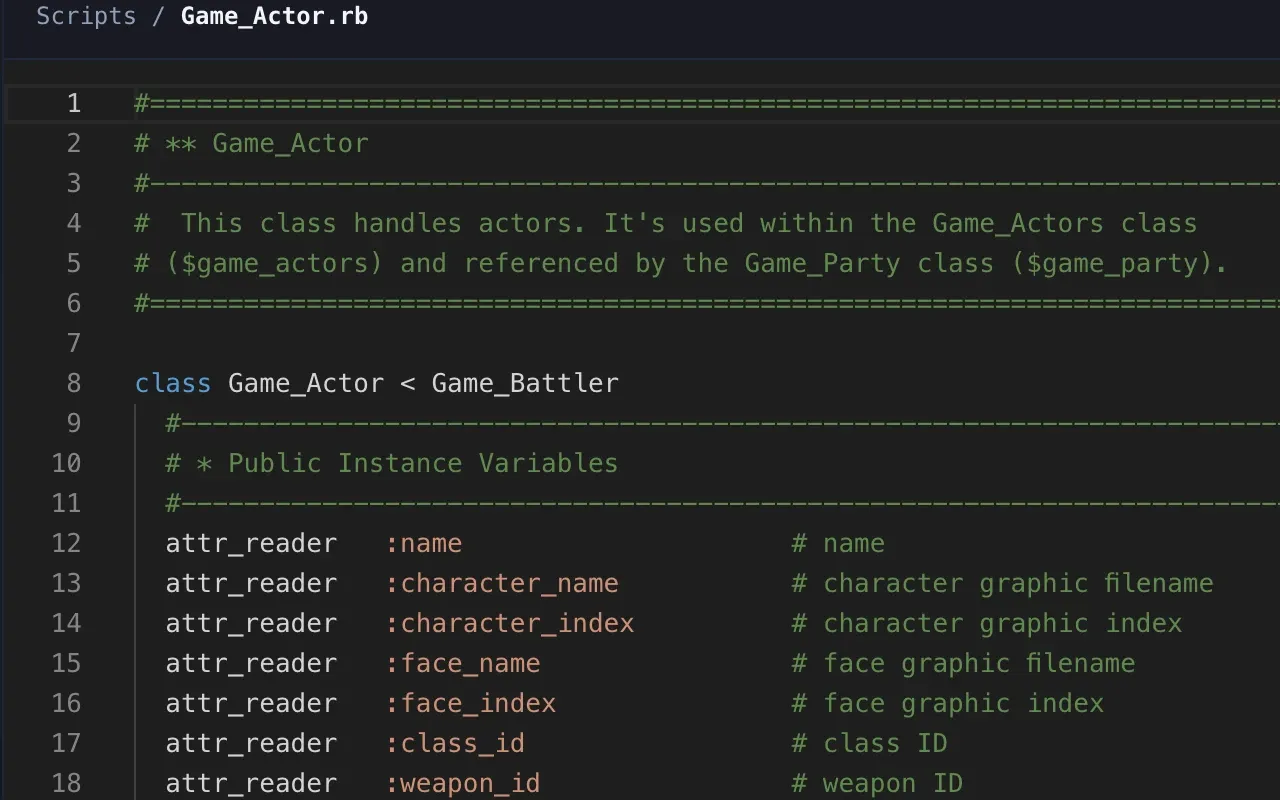
Say goodbye to cramped script windows. RPGM Studio includes a powerful built-in code editor (VS Code style) with syntax highlighting, a minimap, instant filtering, and clean file management. Because scripts are organized cleanly as individual files on disk, it plays nicely with Git, making versioning and tracking changes to custom scripts effortless.
Native mkxp-z Support
mkxp-z is a free, open-source, cross-platform game runner for RPG Maker XP, VX and VX Ace. It replaces the old Windows-only Game.exe with a modern engine that runs your games natively on Windows, macOS and Linux, bringing high performance and up-to-date Ruby support.
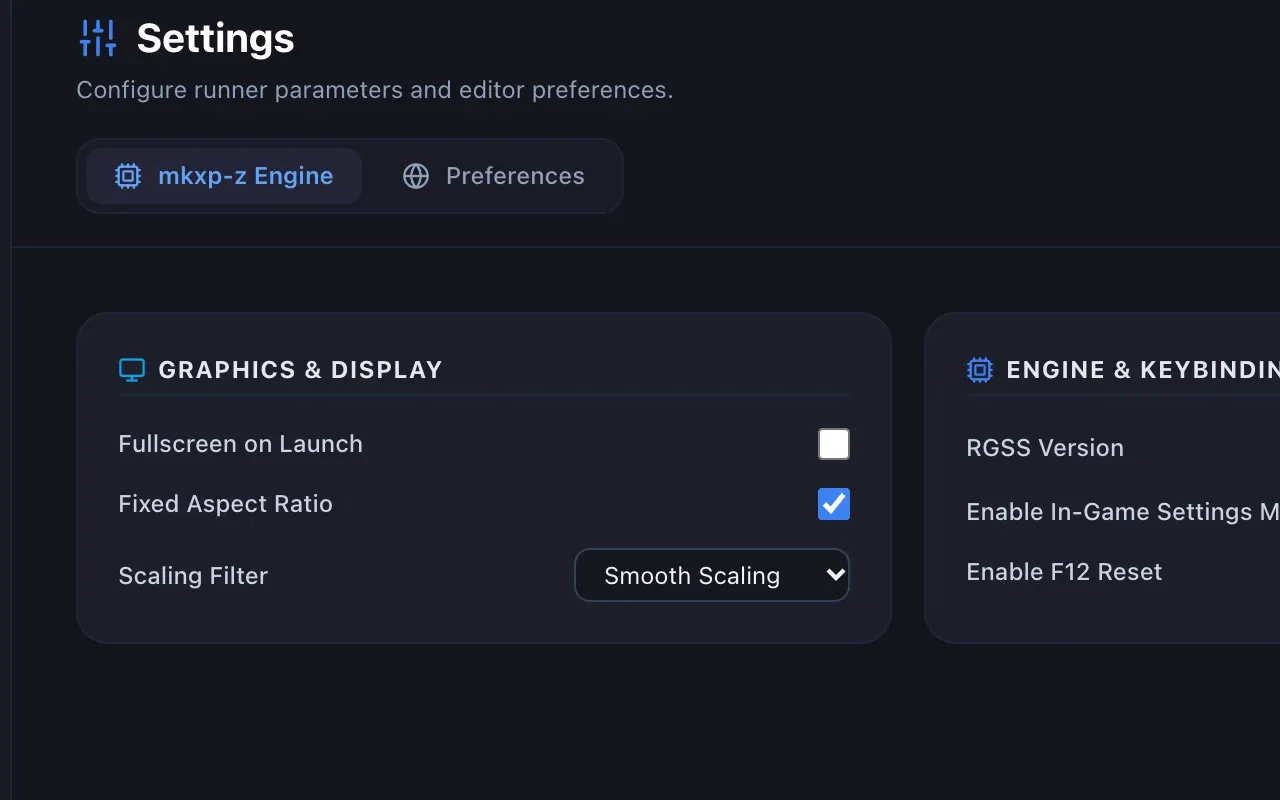
RPGM Studio integrates fully with it: configure all its settings visually from the editor and launch playtests straight through it with a single click. For me, developing on macOS, this is what lets me playtest natively without relying on a Windows VM or the old Windows-only Game.exe.
Light & Dark Themes
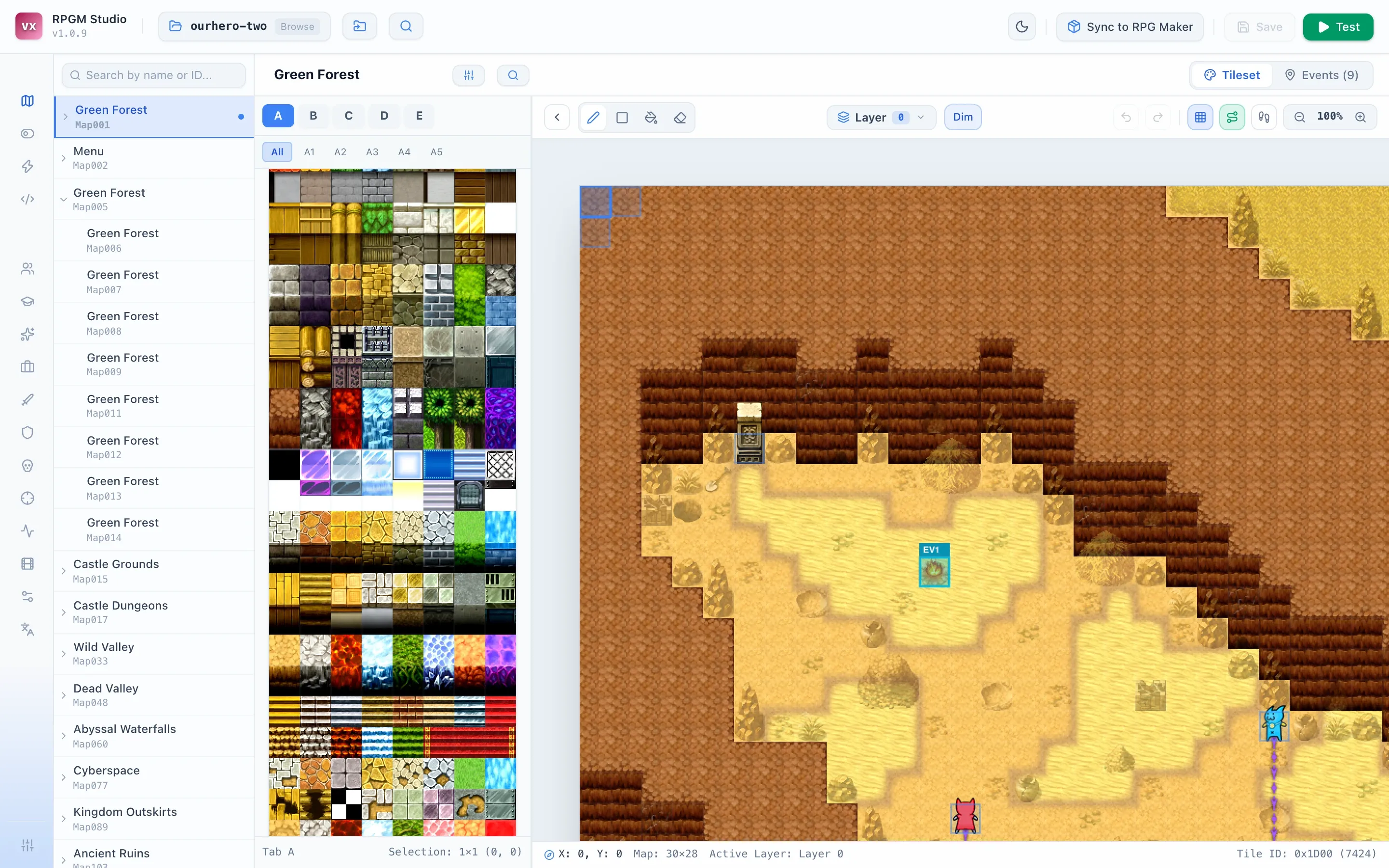
Last but not least, you get a modern, clean, responsive interface with both a Dark and a Light theme, so you can build your game comfortably just the way you like.
Try RPGM Studio!
Questions, bugs or ideas? Feel free to reach out or leave a comment below and… Happy making!